Engagement & Analytics

Track. Engage. Grow

Most galleries are published and then never looked at again — by their owner. FotoGrids shows you which images people actually stop on, gives visitors something to do when they get there, and turns that attention into a next step.
In the free plugin

You already have the data. Now you can see it

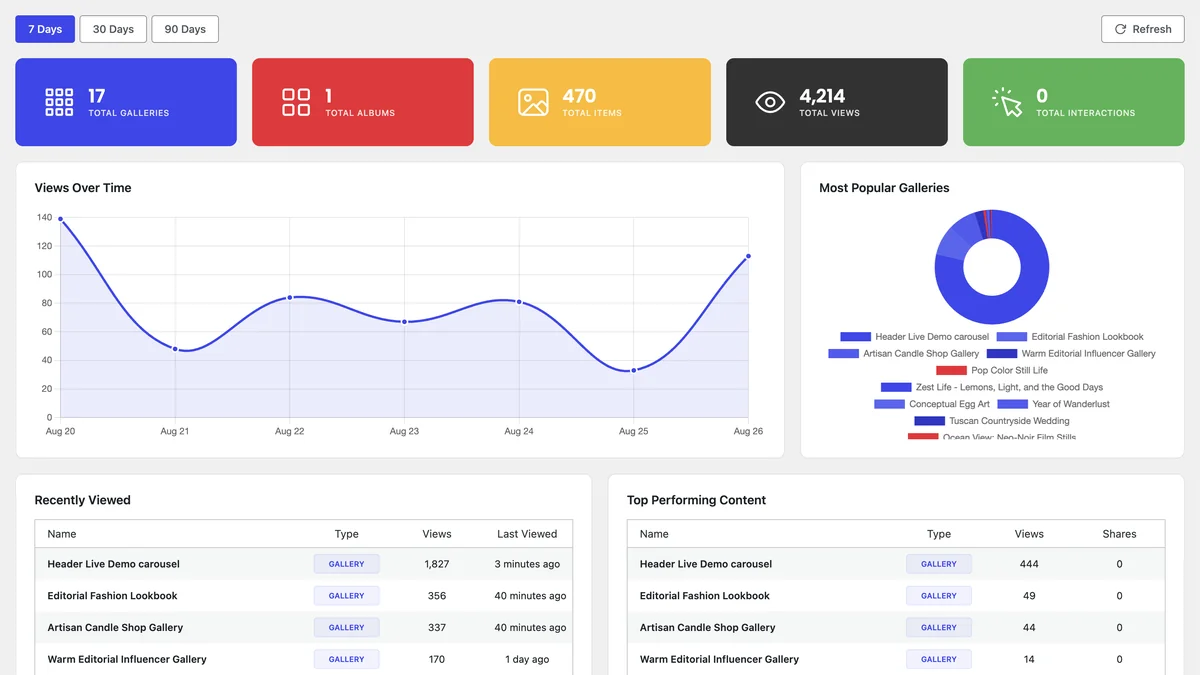
Views, top-performing galleries and top-performing images are tracked from the moment you install — inside WordPress, next to the galleries themselves, with no third-party account to connect.
FotoGrids gallery analytics dashboard with total views, a views-over-time chart, and a top performing content table
Sample data shown. The dashboard, views tracking and top-performing content are all in the free plugin — no external analytics account required.
Beyond view counts

A view is not the same as interest

Knowing a gallery got 4,000 views tells you it was found. It does not tell you whether anyone looked past the third image, where they came from, or what they did next. Those are four different questions.

Engagement tracking
Clicks, navigation and interaction inside the gallery, not just the fact that the page loaded — so you can tell real attention from a bounce.
Do users get past the first page?
User behavior insights

The route visitors take through a gallery — what they open, in what order, where they stop. The shape of a session, not its length.

Where does everyone drop off?
Traffic sources

Referrals, external sites and direct visits — so you can back the channels that actually send people, not the ones that just feel busy.

Which channel is worth the time?
Device & platform insights
What people are actually browsing on, so you can tune the layout that most of your audience sees instead of the one you happen to design on.
Should I design for mobile first?
Engagement

Turn every visit into engagement

Invite visitors to comment, rate, and share — building connection, extending your reach, and inspiring others to join in.

Comments, ratings & reviews

Visitors respond to the work itself rather than a contact form, and what they leave becomes social proof on the page for everyone after them.

Social sharing

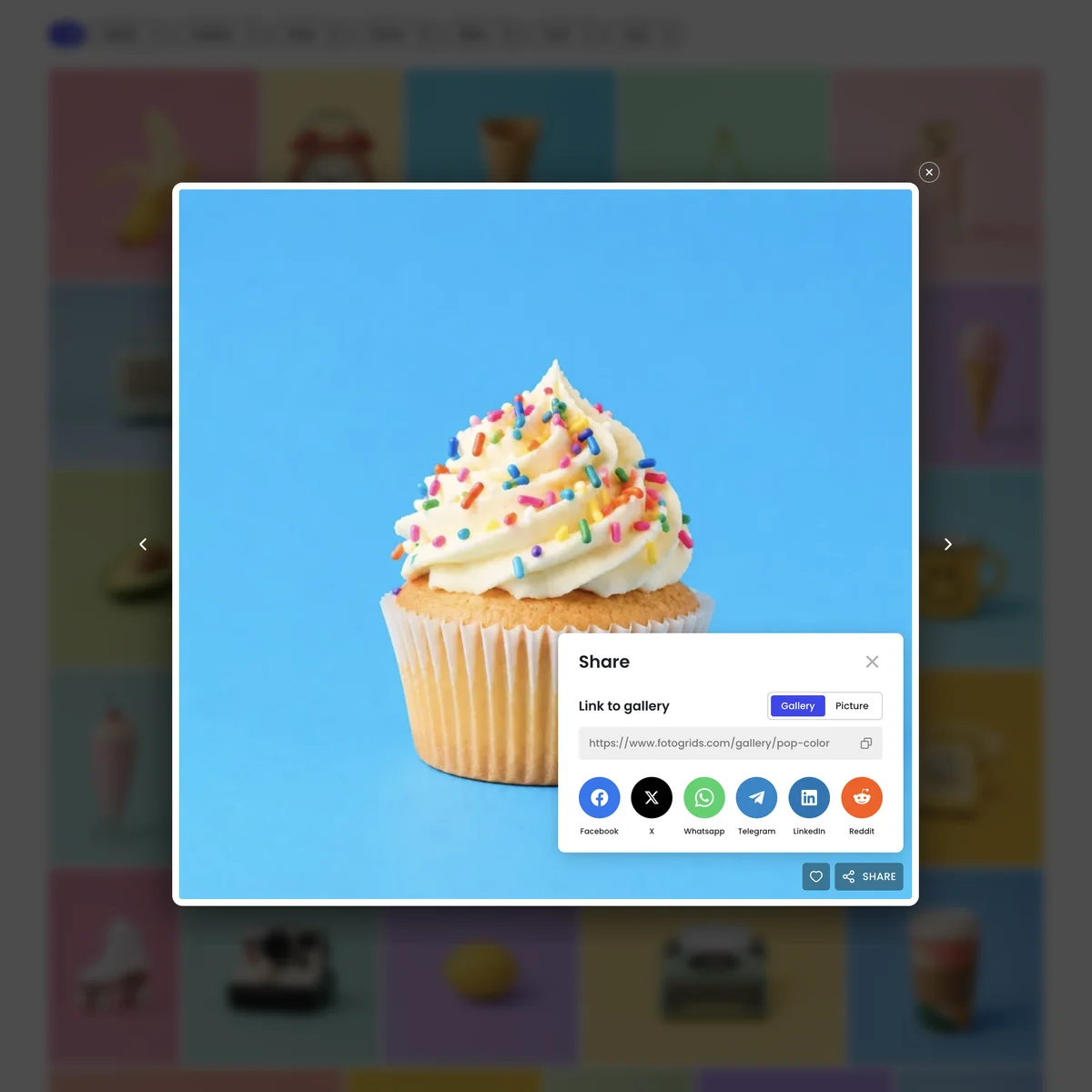
One tap sends an image or a whole gallery onward, so every visitor is a possible distribution channel instead of a dead end.

Open Graph tags

When that share happens, the link arrives with the right image and title instead of a blank card nobody clicks.

Discovery

A big gallery is only useful if it is navigable

Four hundred images in one scroll is a wall, not a portfolio. Filtering and sorting let a visitor find the six that matter to them — which is usually the difference between a browse and an enquiry.
Filtering
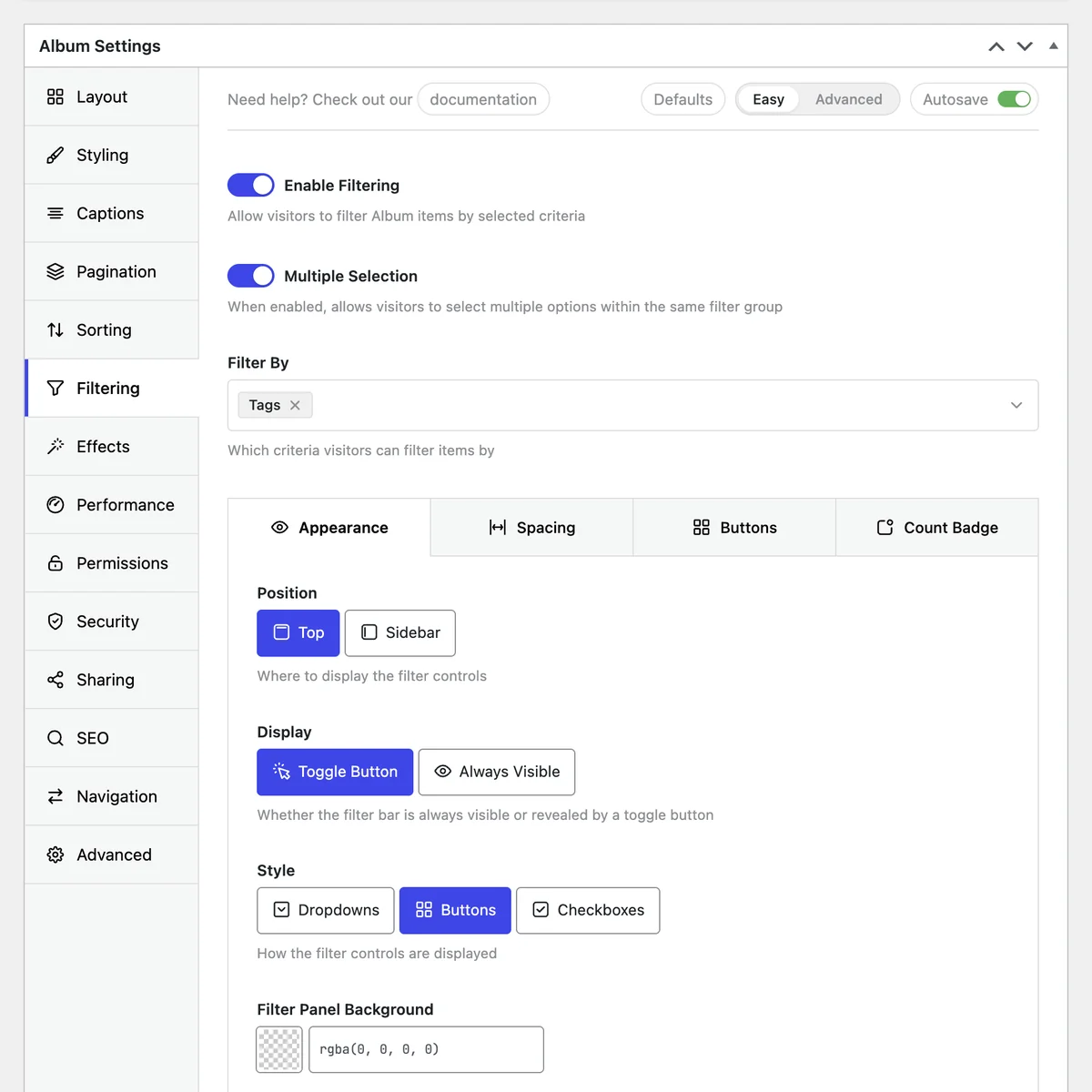
Visitors narrow by tag and other criteria without a page reload, so a large gallery behaves like a small, relevant one.

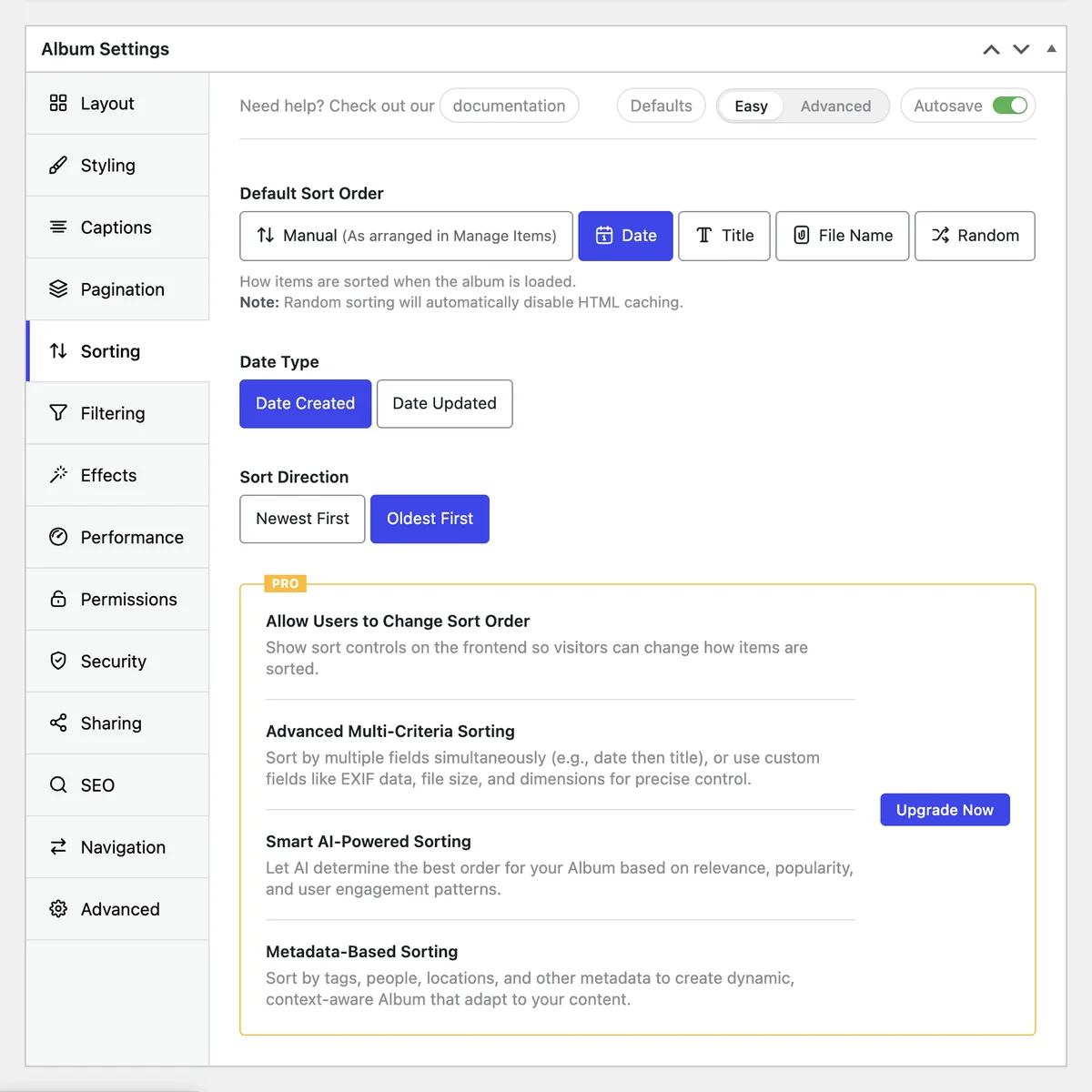
Set the default order yourself, and let visitors re-sort when browsing their own way makes more sense than browsing yours.

The metadata that powers the filters is the same metadata that gives search engines context — one piece of work, two returns.

Album structure people can move around in, rather than a single page they either scroll or abandon.

FotoGrids album filtering settings with visitor filters enabled, filtering by tags, and controls for filter position, display and style
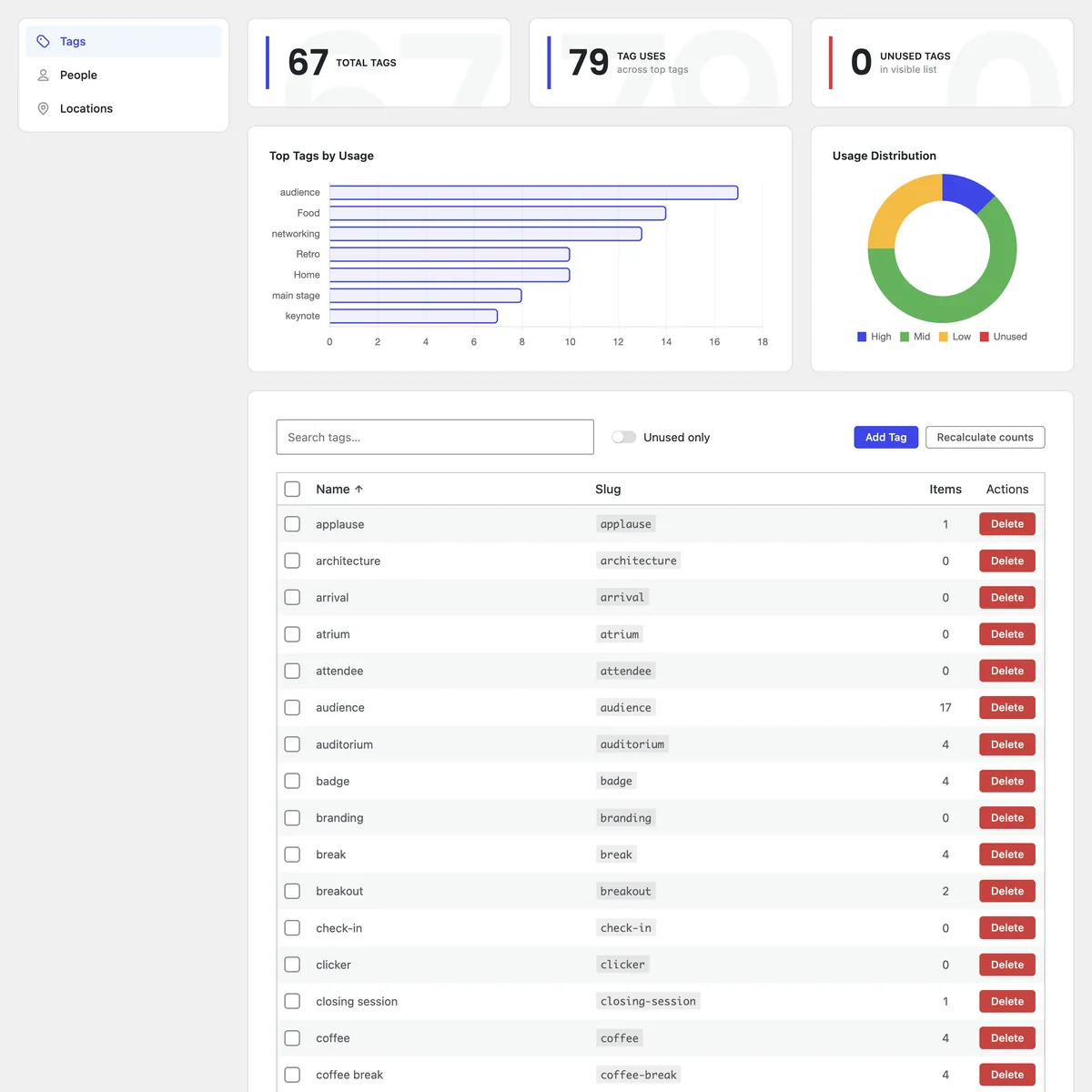
FotoGrids tags manager showing total tag counts, a top-tags usage chart, a usage distribution donut, and a searchable list of tags with item counts
From attention to action

Every image can be a link to somewhere

Attention that ends in the Lightbox is attention wasted. Each item in a gallery can point at whatever the next step actually is — and you can set that in bulk rather than one image at a time.

External URL manager
Engagement tracking
Clicks, navigation and interaction inside the gallery, not just the fact that the page loaded — so you can tell real attention from a bounce.
Product-aware links
User behavior insights
The route visitors take through a gallery — what they open, in what order, where they stop. The shape of a session, not its length.
Secure downloads
Traffic sources
Referrals, external sites and direct visits — so you can back the channels that actually send people, not the ones that just feel busy.
What to do with it

Data is only useful if it changes something

Step 1

Look at what performs

The top-performing list tells you which galleries earn attention and which images inside them hold it. Usually it is not the ones you would have guessed.

Step 2

Change one thing

Move the strongest image to the top. Re-tag so filters match how people search. Add a link target to the gallery that gets traffic but no clicks.

Step 3

Watch the same number

Come back to the dashboard in a fortnight and look at the metric you were trying to move. That is the whole loop — and it is in the free plugin.

Every detail covered

Everything you need to perfect your galleries

And that's only the beginning.

Frequently asked questions

They answer different questions. Site analytics tell you about pages; FotoGrids tells you about galleries and individual images — which image held attention, which gallery earned the Lightbox opens. Many people run both, and neither depends on the other.

No. The dashboard lives in your WordPress admin next to the galleries it describes. Views tracking and top-performing content work from the moment the plugin is active.

The analytics dashboard, views tracking and top-performing content are free. Engagement tracking is Pro; user behaviour insights, traffic sources and device and platform insights are Pro Plus; network-wide analytics across a multisite is Agency.

Comments, ratings and reviews are a Pro Plus feature and are configured per gallery, so you decide where interaction is open, where it is moderated, and where it is off entirely.

Filtering and sorting apply without a full page reload, and pagination keeps the initial load light regardless of how many items the gallery holds. A large gallery browses like a small one.

Yes. The External URL Manager is in the free plugin — point items at project pages, products, campaigns or anything external, individually or in bulk. Shops can go further with product-aware links in Pro Plus.