Explore everything FotoGrids can do
Style every gallery to your brand
Drag, drop, publish. No code
Rank higher. Load lighter
Your photos stay your photos
Track. Engage. Grow
Native block for the WordPress editor
Dedicated widget with full control
Custom module for any Divi layout
Fully customizable native element
Read, write, and automate galleries
Customize behavior with WP hooks
Bring your own styles and scripts
Show clients your brand, not ours
Hooks, REST API, and full control
Showcase your work beautifully
Collaborate, deliver, and scale client work
Beautiful galleries without writing code
Turn visitors into paying customers
Product galleries built to sell
Native block for the WordPress editor
Dedicated widget with full control
Custom module for any Divi layout
Fully customizable native element
A complete gallery solution for client sites – built visually with native blocks for Elementor, Divi, Bricks, and Gutenberg, no code required. Granular permissions decide what clients can touch, and when you want to go deeper, hooks cover almost every part of the plugin.
Start from 30+ professionally designed templates, preview on the client’s real content, apply, and adjust from one panel. No blank canvas, no rebuild for round two.
Dedicated widgets for Gutenberg, Elementor, Divi, and Bricks, give you the same controls and consistent results — in every builder. No custom code or shortcode wrappers.
Galleries, sliders, protection, image SEO, and optimization in a single plugin – fewer conflicts to chase, one changelog to read, one thing to test on update day.
User and per-gallery team permissions let clients update content without reaching the settings that break layouts. Revision history restores any slip in one click.
Native lazy loading, responsive srcset, built-in caching, and clean markup. Gallery pages that hold up when the Lighthouse report has your name on it.
Hooks covering almost every part of the plugin, a REST API for galleries, and custom CSS & JS per gallery or site-wide. Optional, never required.
Deliver the whole solution visually – templates, layouts, branding, permissions – and hand clients an interface they can manage on their own. The extension points stay underneath for the day a project needs something custom: hooks covering almost every part of the plugin, a REST API, and your own CSS & JS.
Standard WordPress extension points across the whole plugin – customize behavior, automate galleries, and wire FotoGrids into the rest of the client’s stack.
Read, write, and automate galleries. Create galleries from an external workflow, update captions and items from a script, or wire uploads into a client’s existing pipeline.
Customize markup, behavior, and gallery events with standard WordPress hooks and filters. Extend without touching plugin core – your customizations survive updates.
Bring your own styles and scripts. Attach them to a single gallery for one-off client requests, or globally for a site-wide design system.
Control the branding clients see inside their own admin, so the sites you build and maintain carry your name.
Move galleries between environments – staging to production, or site to site. Revision history with one-click restore covers you when a client experiment goes wrong.
Manage galleries across a multisite network from one place, with per-gallery team permissions and a full activity log of who changed what.
Dry-run the migration assistant against the client’s existing NextGEN, Envira, Modula, or FooGallery setup – or bulk-import from a folder. Nothing commits until you approve the preview.
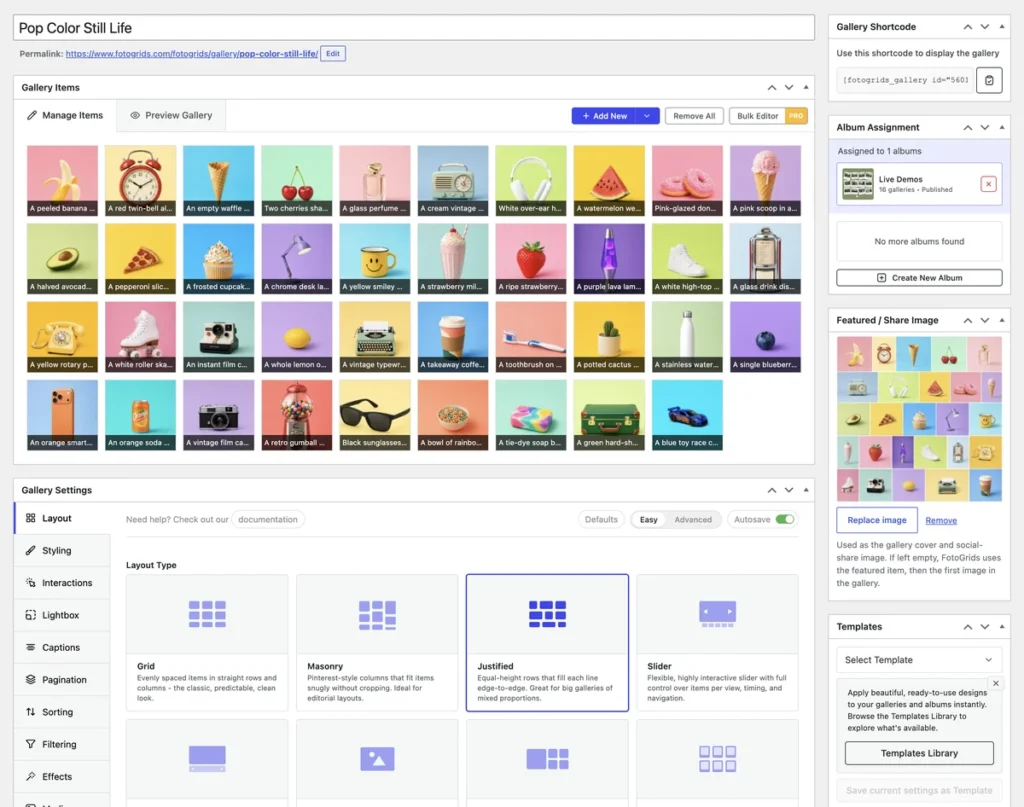
Drop the native block into Elementor, Divi, Bricks, or Gutenberg, pick a template, and adjust everything from one panel with live preview. Theme typography and colors are inherited automatically – not a single line of code required.
Set permissions so clients update content without touching the settings that break layouts. Revision history restores anything in one click, and the activity log shows who changed what.
Start client builds from a real baseline instead of a blank canvas. Preview against the client’s actual content, apply, and adjust – then save your own setups as the studio standard.
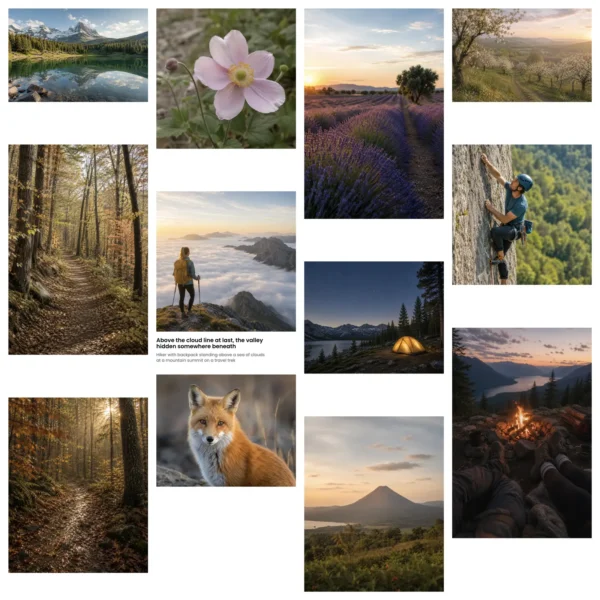
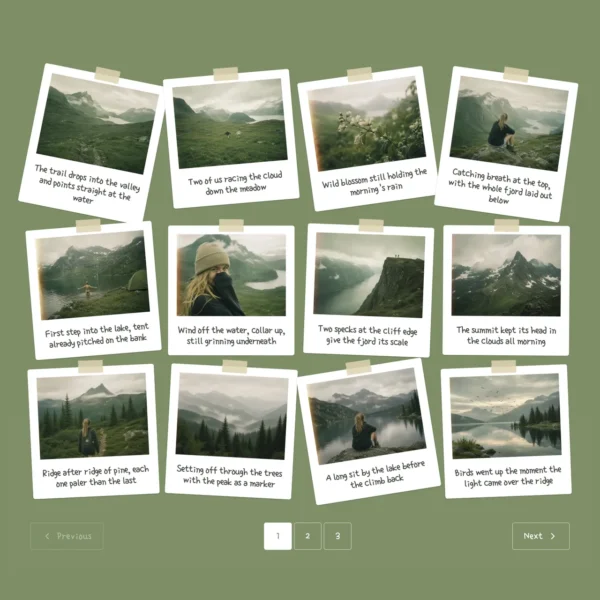
Templates for portfolios, case studies, product galleries, events, and more - a professional starting point for any client brief.
Every template renders against the actual gallery before you commit. No surprises after apply - and zero theme-clash debugging.
Spacing, colors, crops, hover effects, captions, and overlays - then finish with your own CSS where the client's brand needs it.
Style one build, then reuse it across every project. Consistent client sites, faster delivery, less rework.
Native builder blocks, 8 layouts, templates, branding controls, and the extension surface are in Free. Pro adds the layers client projects ask for – image SEO, automation, analytics, and handoff workflows.
Galleries, sliders, protection, image SEO, optimization, and client proofing from one plugin. One changelog to read, one thing to test on update day, on every site you maintain.
No. Templates, layouts, branding, permissions, and the entire gallery setup are handled visually, with live preview and autosave. Code is optional – hooks, the REST API, and custom CSS & JS are there for the projects that want them.
User and per-gallery team permissions control exactly what each client can change – they update content, the settings that break layouts stay out of reach. Revision history restores any gallery in one click, and the activity log shows what changed and who changed it.
All three, plus a native Gutenberg block. Each has a dedicated widget or element with the same control surface, so a gallery you build in Elementor renders identically in Divi or Bricks if the site migrates later.
Yes. Galleries can be read, written, and automated over the REST API – create galleries programmatically, update items from a script, or connect an external workflow. The full endpoint reference is part of the documentation.
Yes. Standard WordPress hooks and filters cover markup, behavior, and gallery events, and custom CSS & JS can be attached per gallery or globally. Your customizations live outside the plugin, so they survive every update.
FotoGrids uses native lazy loading, responsive image sizes, and built-in caching to keep page weight down, with clean markup that avoids layout shift. WebP and AVIF automatic optimization is available on supported plans.
Yes – the migration assistant supports NextGEN, Envira, FooGallery, Modula, and more. Run it in dry-run mode first; captions, alt text, EXIF, and album structure all come across.
Yes. Galleries can be managed across a multisite network, with network-wide analytics available on supported plans.
A complete gallery solution for client sites – built visually, handed off with granular permissions, and ready for custom code the day a project needs it.
We use cookies and similar technologies to make our website work smoothly and understand how it’s used. Choosing “Accept” helps us personalize your experience. If you decline or change your mind later, some features may not work as expected.