Explore everything FotoGrids can do
Style every gallery to your brand
Drag, drop, publish. No code
Rank higher. Load lighter
Your photos stay your photos
Track. Engage. Grow
Native block for the WordPress editor
Dedicated widget with full control
Custom module for any Divi layout
Fully customizable native element
Anywhere WordPress renders
Read, write, and automate galleries
Customize behavior with WP hooks
Bring your own styles and scripts
Hooks, REST API, and full control
Showcase your work beautifully
Collaborate, deliver, and scale client work
Beautiful galleries without writing code
Turn visitors into paying customers
Product galleries built to sell
Creative portfolios for every field
Curated video playlists and embeds
Conferences, weddings and celebrations
E-Commerce-ready product showcases
Property photos that close deals
Client proofing with secure galleries
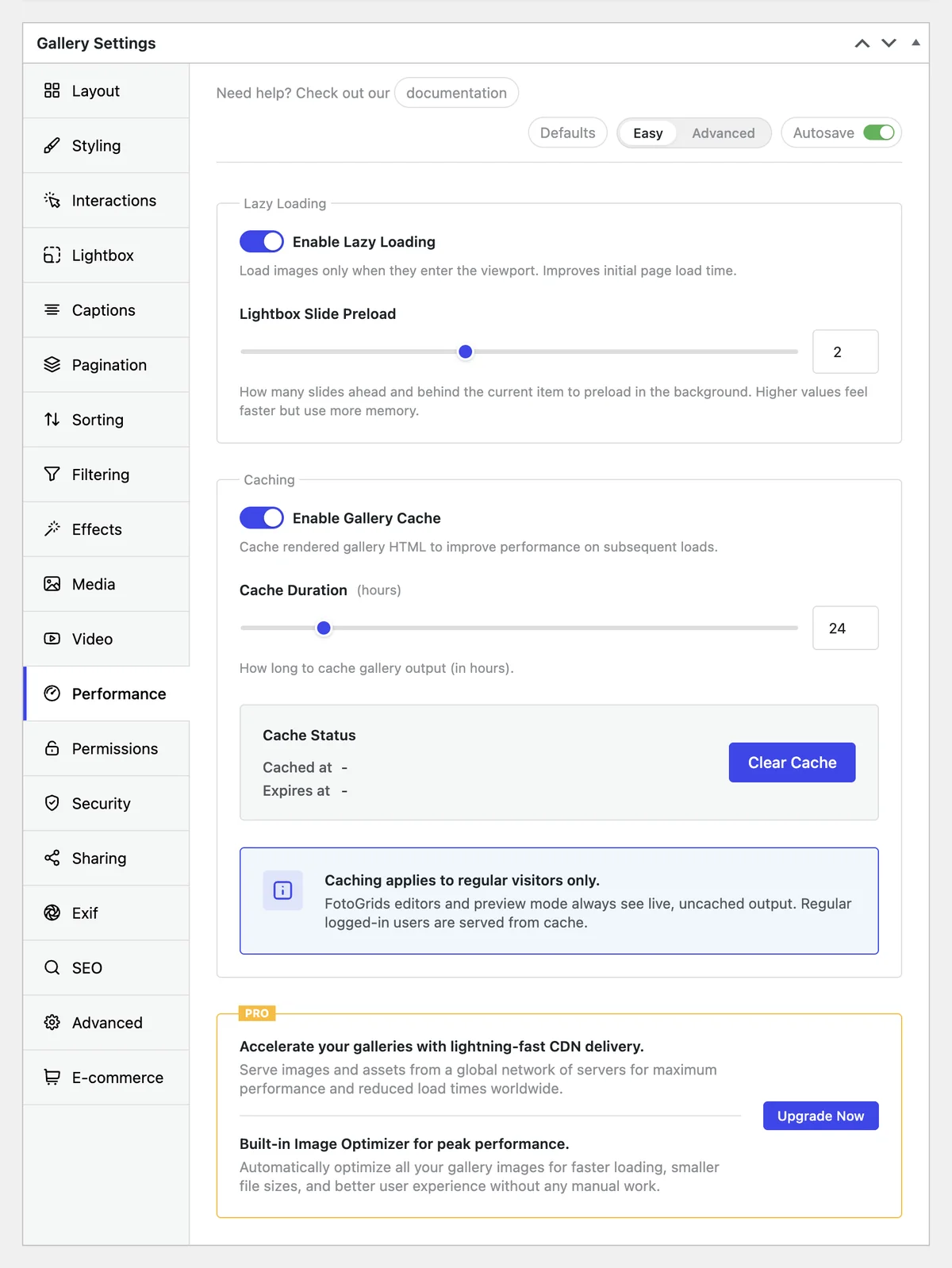
Image-heavy pages are the ones that slow a site down and the ones search engines understand least. FotoGrids ships the speed work switched on by default, and gives every image the metadata search engines actually read.
Usually the hero image of a gallery. Oversized source files and images loaded before they are needed are the two normal causes.
The jump that happens when images arrive and push the page around. Reserved dimensions and consistent cropping stop it before it starts.
How fast a gallery responds to a tap — opening the Lightbox, changing a filter, moving to the next page of a large set.
Thresholds above are Google’s published Core Web Vitals targets. Every item in this block is in the free plugin.
Images load as they come into view. Built in, zero configuration, no page-speed penalty for a long gallery.
Repeated gallery processing is cached, so browsing stays smooth as the library grows rather than degrading with it.
Serve a thumbnail-sized file for a thumbnail. Consistent crops also mean the layout doesn't shift when images land.
Split a 400-image gallery into pages so the first screen is light, without hiding anything from visitors or crawlers.
Minified CSS and JavaScript, HTTP/2-friendly delivery and critical CSS inlining, applied to the gallery’s own assets.
Compresses gallery images automatically so files stop carrying weight they do not need, while the images stay sharp on screen. The original stays in your media library untouched.
Images and assets are served from a network of edge locations, so a visitor three time zones away is not waiting on your origin server.
File names, dimensions and formats corrected in one action — the housekeeping that helps both search visibility and load time, done in bulk instead of per image.
An image called IMG_4471 tells Google nothing. Filling in alt text, titles and descriptions across a few hundred images by hand is the job nobody finishes — so most galleries stay invisible to image search.
Generates titles, descriptions, alt text and tags for every image, so the accessibility and search work gets done rather than postponed.
Camera, lens, shutter and aperture displayed beside the image — real content on the page for photography sites, and per-image editing when you need to correct it.
Structured metadata that powers filtering for visitors and gives search engines context that a filename never carries.
Being fast is not the same as being found. These are the outputs that decide whether a gallery appears in image search, gets crawled at all, or looks like anything when someone shares it.
Open Graph meta tags are generated so a shared gallery link arrives with the right image, title and description on Facebook, LinkedIn and anywhere else that reads them.
ImageGallery structured data is injected automatically, so search engines can identify the page as a gallery instead of guessing from the markup — which is what makes rich results possible.
/red-canyon.webp
Red Canyon
Wanderlust
An image sitemap compatible with Google Search Console is generated for you, so crawlers find every image in every gallery instead of only the ones linked from a page they happened to reach.
Everything that keeps an image-heavy page fast is in the plugin you can install right now. Pro adds the parts that change how search engines see the gallery.
Only what is in view is requested, so the number of images in a gallery is not the same as the weight of the first screen. Pagination handles the very large sets, and correct image sizing means each thumbnail is a thumbnail-sized file rather than a full-resolution original.
FotoGrids handles its own assets and gallery output — minified CSS and JavaScript, inlined critical CSS, its own caching layer. A site-wide caching plugin does a different job and the two coexist; you do not need a second plugin to make galleries load properly.
No. The original file stays in the media library. Optimisation produces the versions that get served, so you can change settings or turn it off and the source is still there at full quality.
Yes. It generates titles, descriptions, alt text and tags as a starting point, and every field remains a normal field you can rewrite. It removes the blank-page problem across a few hundred images rather than replacing your judgement.
FotoGrids adds gallery-specific output — ImageGallery schema, image sitemap entries, per-image metadata — where general SEO plugins handle the page. If your SEO plugin already emits something equivalent, the gallery-level output can be switched off.
All of the loading work: lazy loading, caching, minification, image sizing, pagination, Open Graph tags, EXIF and metadata fields. Pro adds schema markup, image sitemaps, AI metadata, CDN delivery and automatic compression.
The speed work is already on in the free plugin. Install it, add a gallery, and run the page through your own testing tool.
We use cookies and similar technologies to make our website work smoothly and understand how it’s used. Choosing “Accept” helps us personalize your experience. If you decline or change your mind later, some features may not work as expected.