Explore everything FotoGrids can do
Style every gallery to your brand
Drag, drop, publish. No code
Rank higher. Load lighter
Your photos stay your photos
Track. Engage. Grow
Native block for the WordPress editor
Dedicated widget with full control
Custom module for any Divi layout
Fully customizable native element
Anywhere WordPress renders
Read, write, and automate galleries
Customize behavior with WP hooks
Bring your own styles and scripts
Hooks, REST API, and full control
Showcase your work beautifully
Collaborate, deliver, and scale client work
Beautiful galleries without writing code
Turn visitors into paying customers
Product galleries built to sell
Creative portfolios for every field
Curated video playlists and embeds
Conferences, weddings and celebrations
E-Commerce-ready product showcases
Property photos that close deals
Client proofing with secure galleries
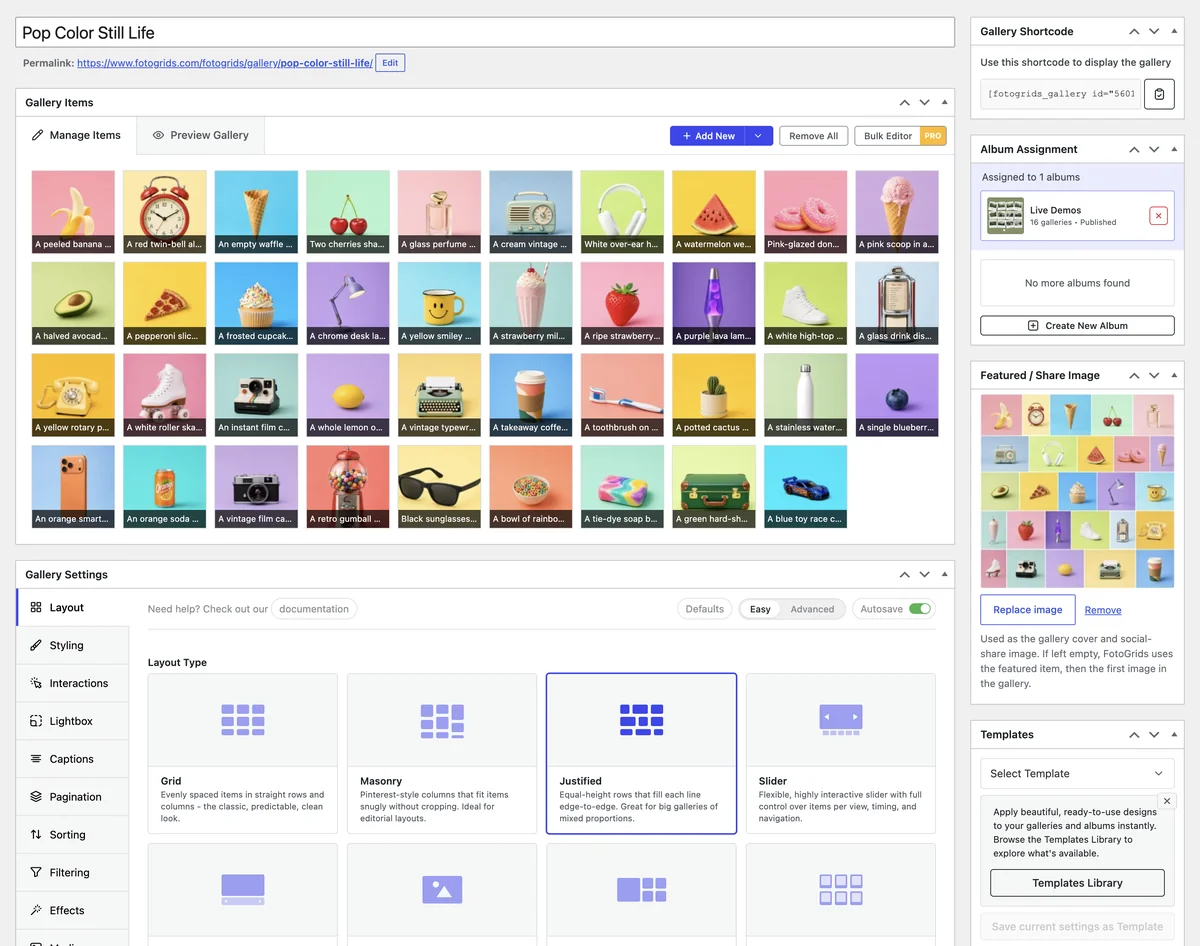
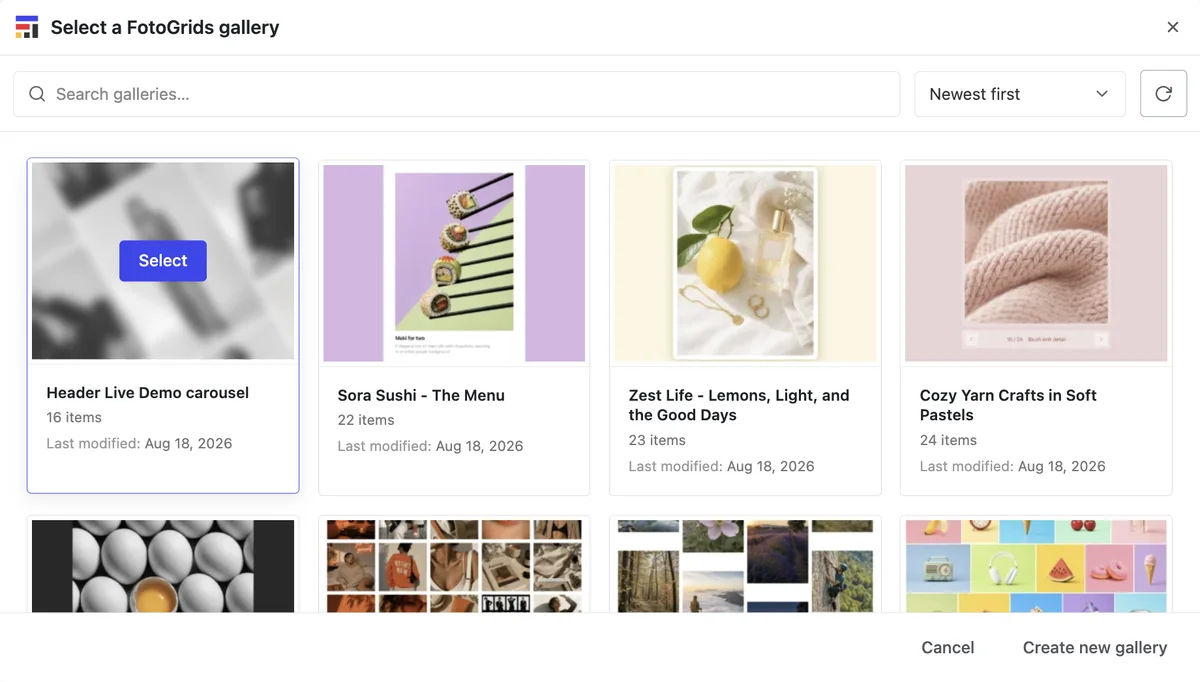
Build a gallery by moving images around, not by writing markup. Everything happens inside WordPress — upload, arrange, style, place on the page — and it saves itself as you go.
Drop files straight into the gallery, pull from the media library, or import a whole folder or ZIP at once. Videos sit in the same gallery as photos.
Order is whatever you drag it to. Move one image or reorder a whole set, and add titles, captions, tags, people and locations while you are in there.
Choose a layout, apply a template, adjust colours and spacing. The preview updates as you go, so there is no publish-and-check loop.
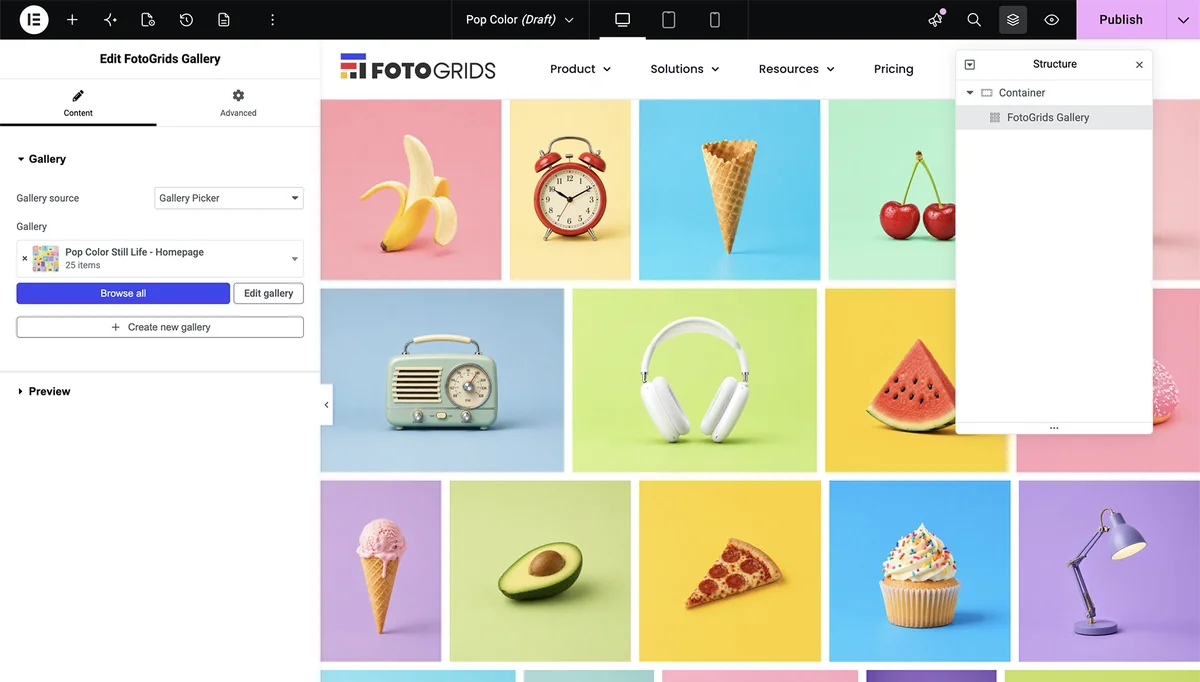
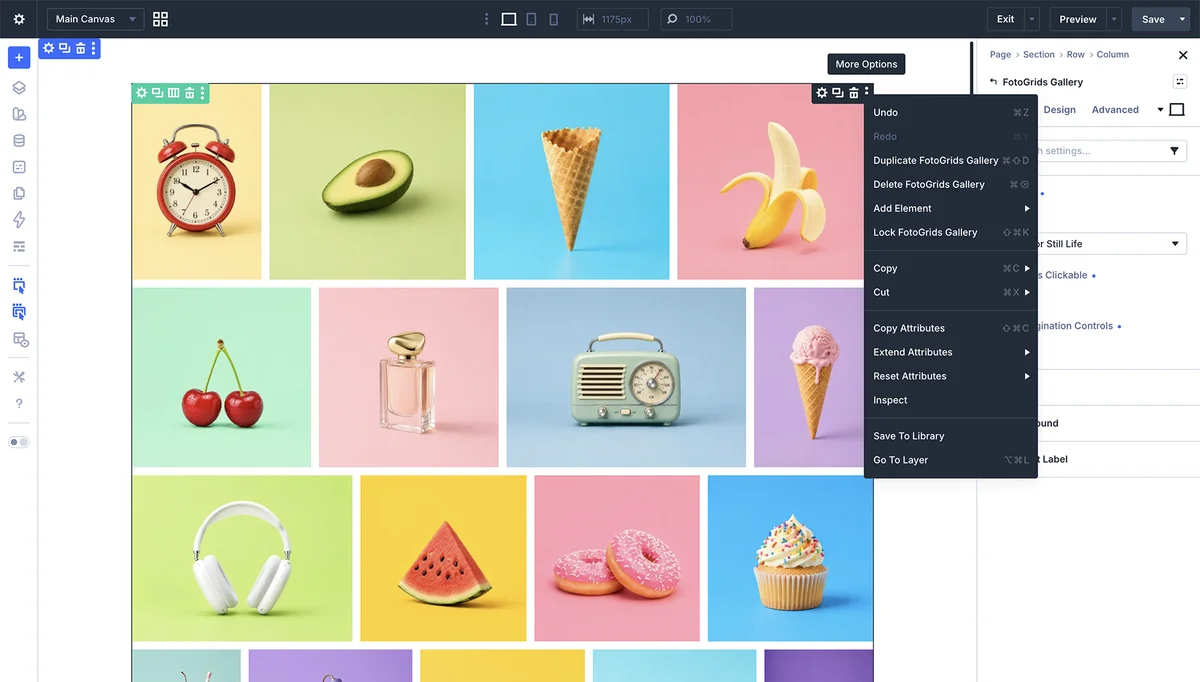
Drop the widget into Elementor or Divi, use the Gutenberg block, or paste a shortcode. Same gallery, wherever it lands.
If you write posts in the block editor, add the FotoGrids block the same way you add an image. Pick the gallery, keep writing.
Search “FotoGrids” in the widget panel, drag it onto the canvas, pick the gallery. Layout and style controls appear in the Elementor sidebar alongside everything else.
Import, edit, migrate, and sync in fewer steps — so every gallery is ready faster, with less room for error.
Import entire shoots from a ZIP or folder in one action — no more dragging files in batches.
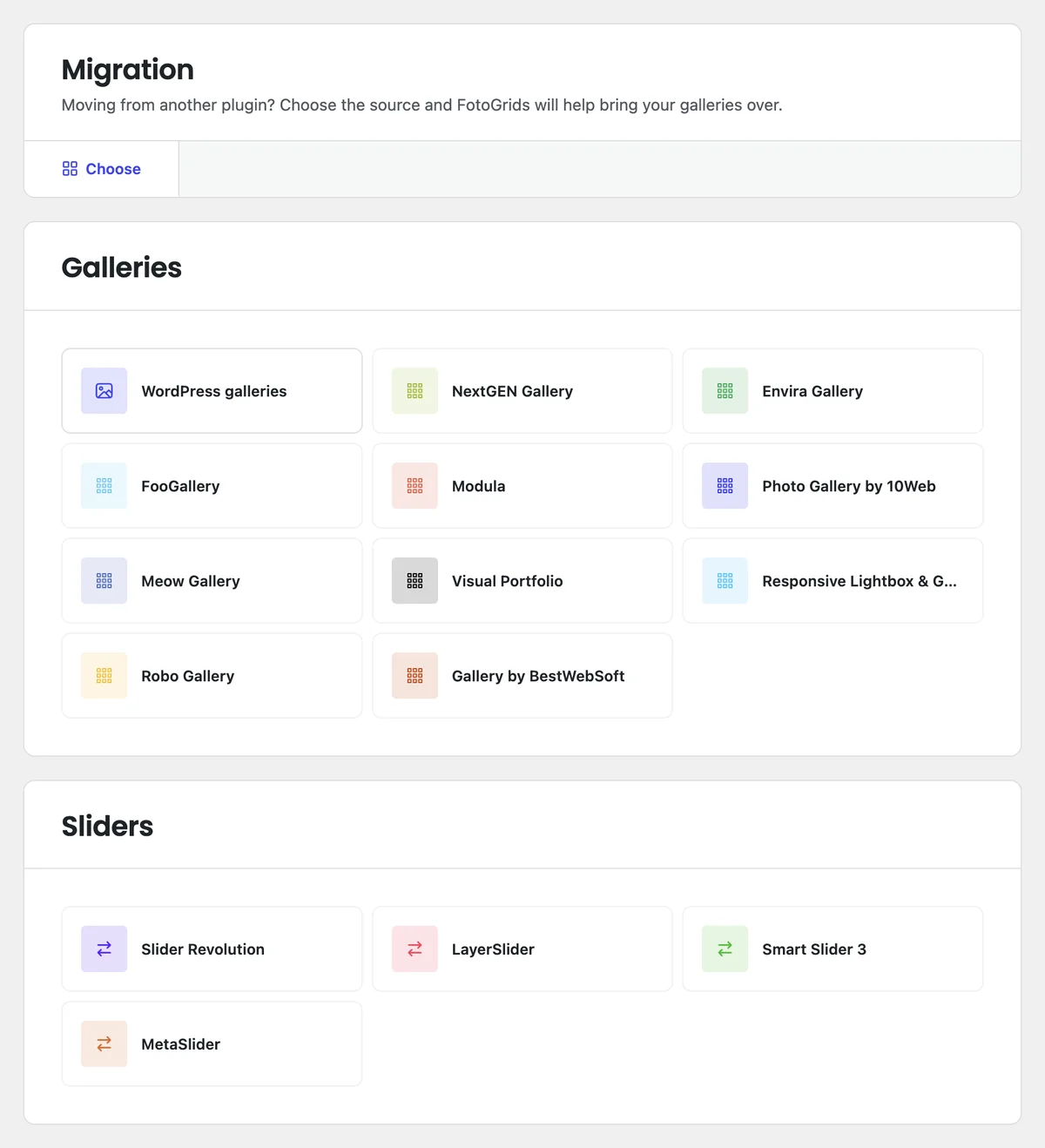
Galleries, the images in them, their order, and the titles, captions and alt text already attached. Albums map to albums where the source plugin has them. Supported sources include NextGEN, Envira, FooGallery and Modula.
Your media library. Files are referenced, not copied or re-uploaded, so disk usage does not double and existing image URLs keep working.
The source plugin is left as it was. Import, look at the result, and only remove the old plugin once the new galleries are on the page and behaving.
No-code stops being a convenience and starts being a requirement when several people touch the same galleries. These are the controls that keep that from going wrong.
See and manage galleries across every site in the network from one dashboard, and share templates across it, without logging into each site in turn.
Update settings, reassign permissions, duplicate layouts or remove in batch across many galleries at once instead of one at a time.
Every change is a version snapshot. Compare states and roll back to any of them, so experimenting is not a risk someone has to approve first.
Private per-gallery notes for the team — creative direction, items flagged for review, context for whoever picks it up next. Clients never see them.
Not to build, style or place a gallery. The shortcode is one line of copy-paste rather than code you write, and the API and hooks exist for developers who want them — they are not a step in the normal path.
None in particular. Elementor and Divi each have a native widget, Gutenberg has a block, and the shortcode covers everywhere else, including themes with no builder at all.
No. The gallery is stored in WordPress, not inside the builder. Changing builders means placing the widget again on the new page — the gallery, its order, its captions and its styling are unchanged.
Autosave keeps the work. When you come back, the gallery is where you left it, including ordering changes you had not explicitly saved.
Direct upload and the media library are in the free plugin. Bulk media import from ZIP files and folders is Pro Plus, along with syncing from Dropbox, Google Photos, Lightroom and Instagram.
The migration reads your existing galleries and recreates them without moving files or removing the old plugin. Existing pages keep rendering as they did until you swap them over yourself.
Install the free plugin, drag your images in, and place the gallery where it belongs. Nothing about that sequence needs a developer.
We use cookies and similar technologies to make our website work smoothly and understand how it’s used. Choosing “Accept” helps us personalize your experience. If you decline or change your mind later, some features may not work as expected.